Chrome & Edge Extension · 100% Local

StepSkript
Record your clicks. Get a beautiful guide.
No account. No cloud. No fuss.
Everything stays on your device
Record your clicks. Get a beautiful guide.
No account. No cloud. No fuss.
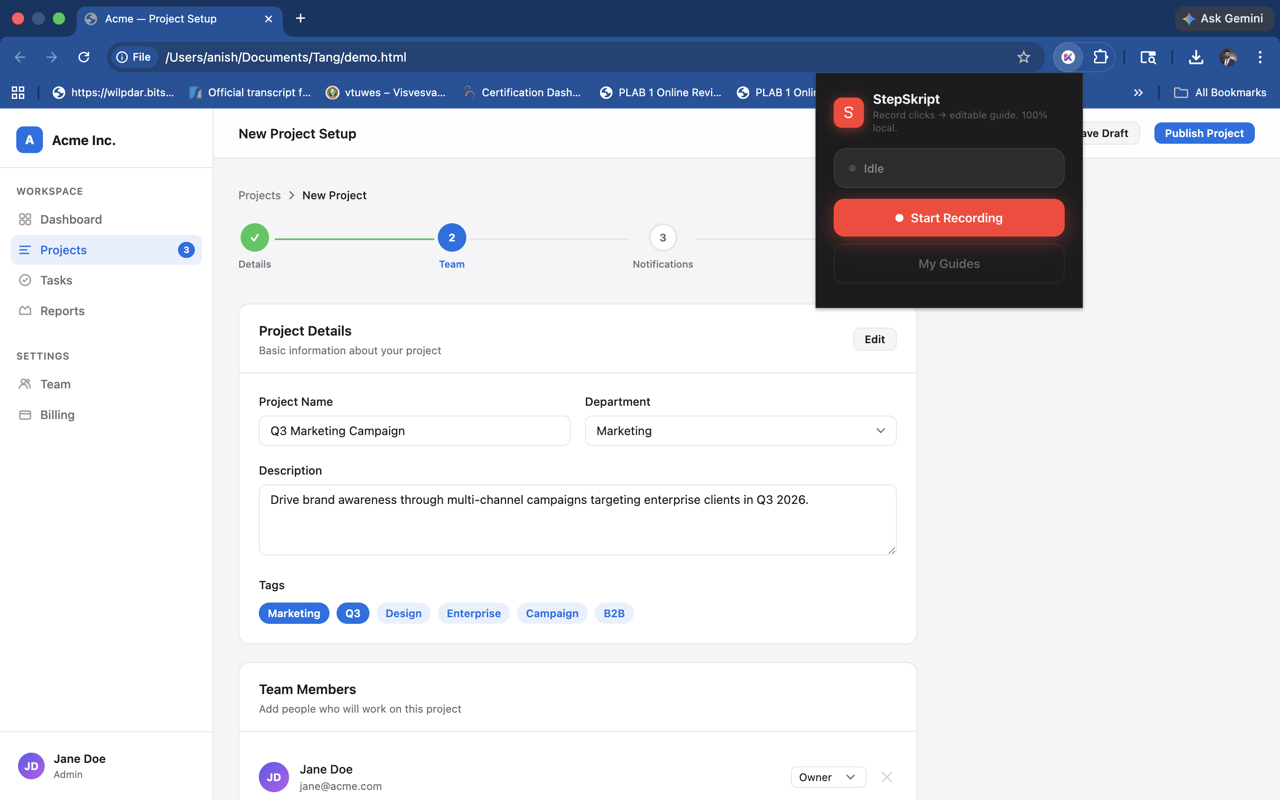
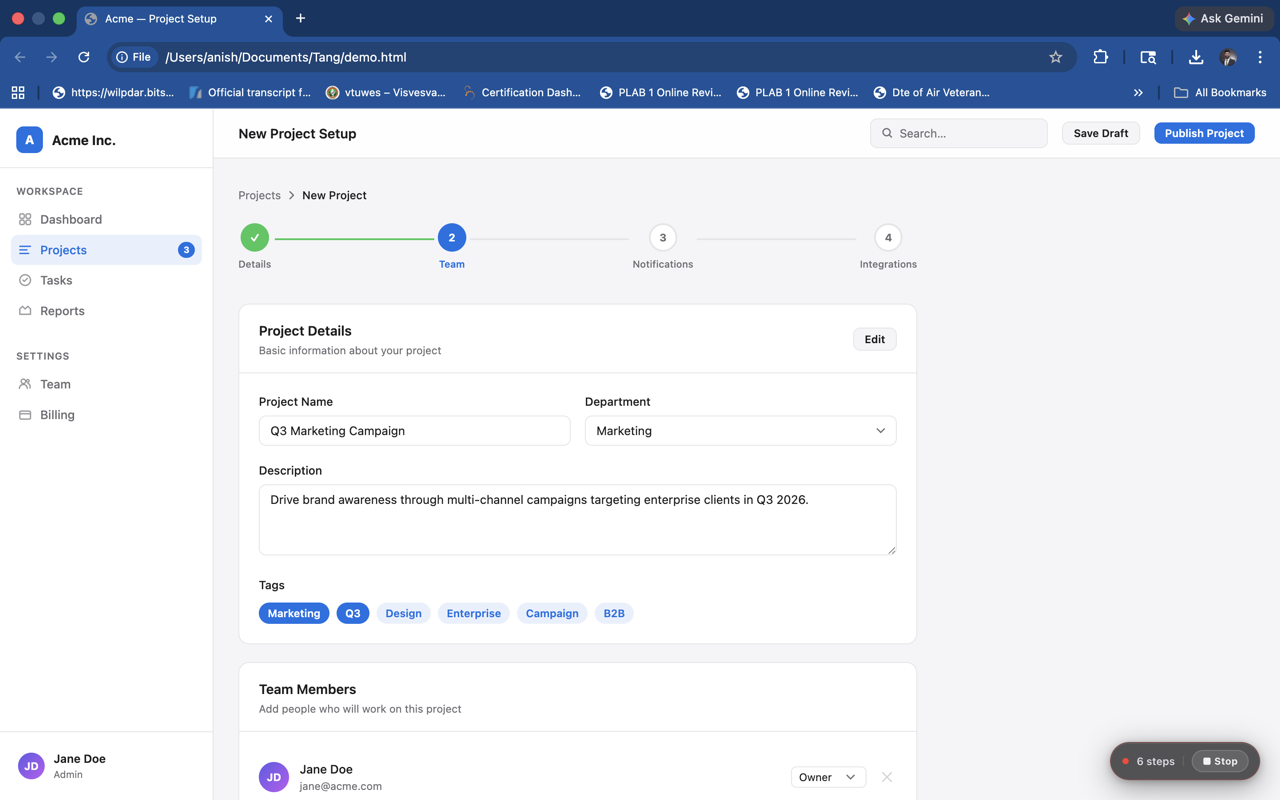
Open the extension and hit Start Recording. StepSkript watches your clicks silently in the background — a floating indicator shows it's running.
Navigate your app, website, or workflow as you normally would. Each click is captured with a screenshot and a highlight box showing exactly what was clicked.
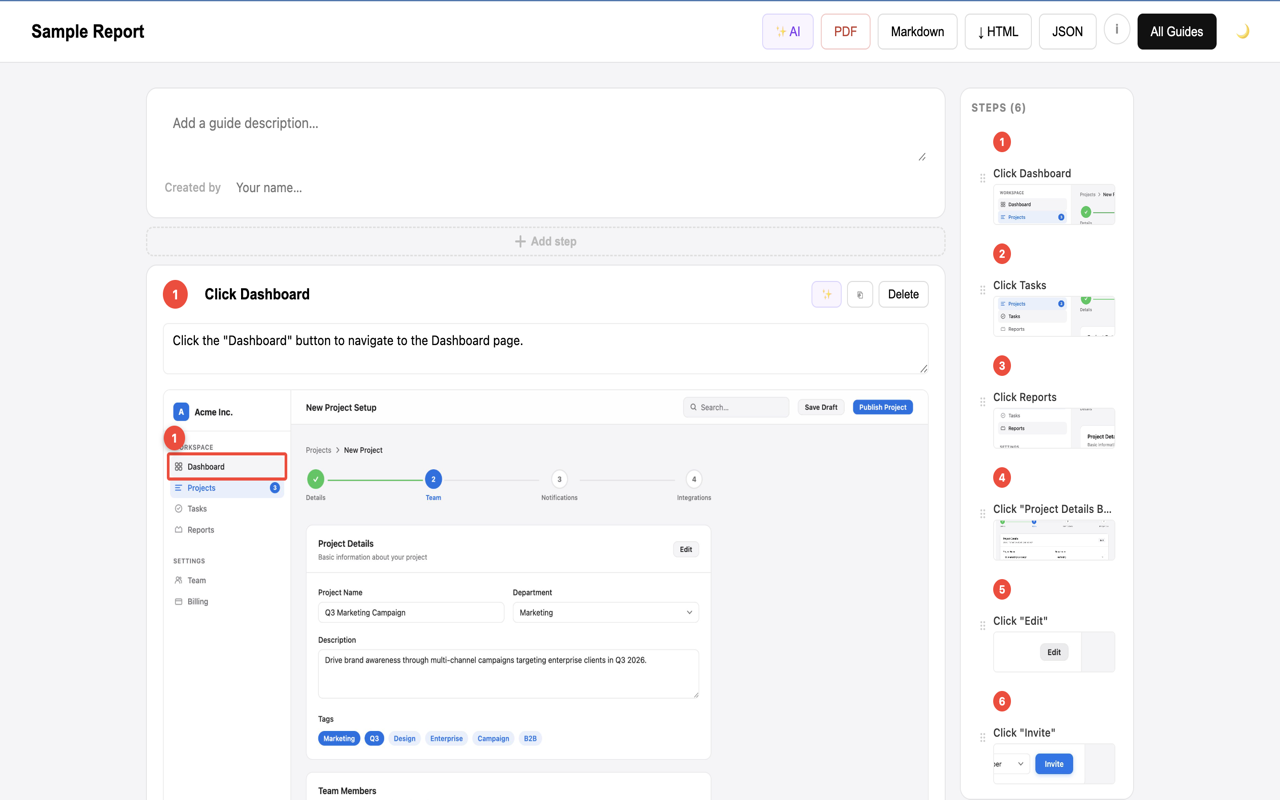
Stop recording to open the editor. Polish titles, descriptions, and images. Then export your finished guide as PDF, HTML, Markdown, or JSON.
From recording to polished guide in minutes.
Built for people who document workflows, train teams, and write SOPs.
Every click captures a full-page screenshot automatically. No manual screenshotting.
Each step shows a red highlight box over exactly what was clicked, so your reader never guesses.
Edit titles, descriptions, reorder steps, duplicate, delete, and add steps manually.
One click to a clean, print-ready PDF with a cover page, numbered steps, and embedded screenshots.
Export a self-contained HTML file or Markdown — paste into Notion, Confluence, GitHub, or anywhere.
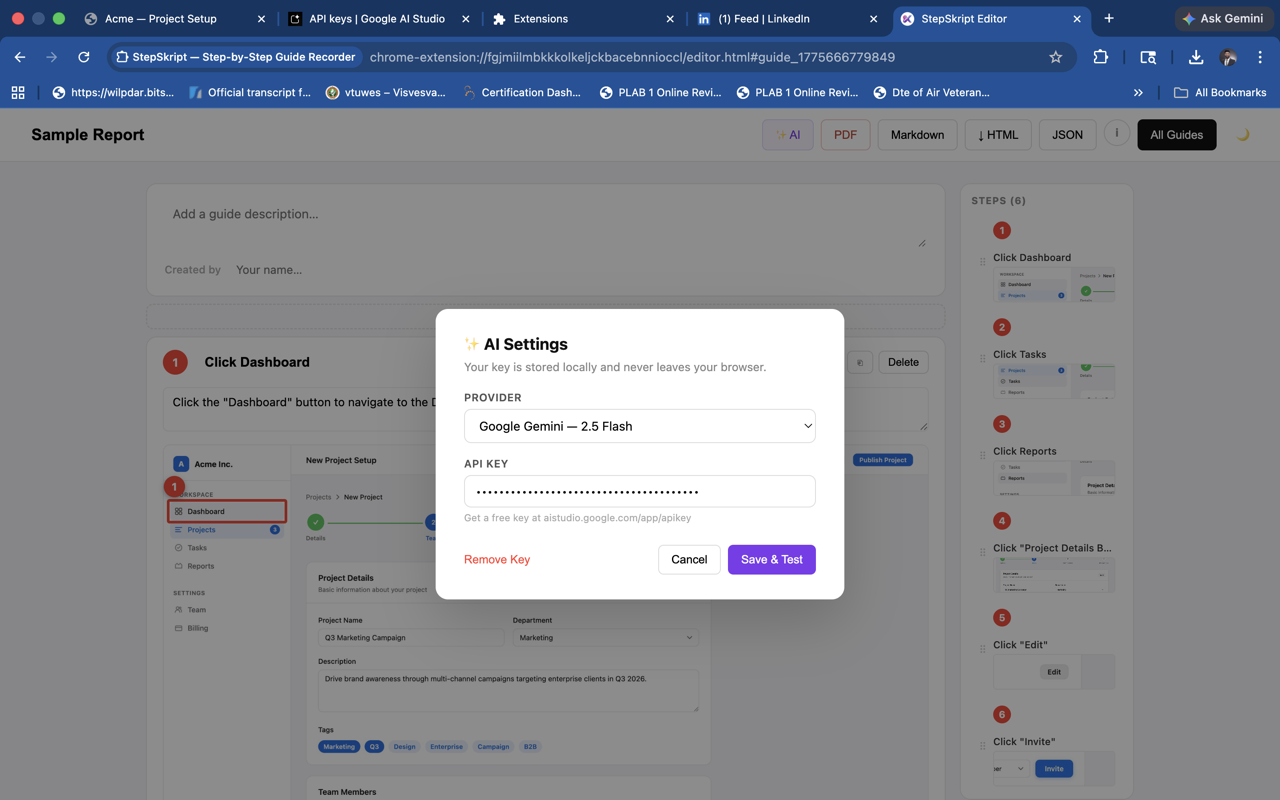
Auto-generate step descriptions using your own API key. Supports OpenAI, Gemini, and Claude.
A polished dark theme for the editor. Toggle with one click — preference saved locally.
Undo, shortcuts panel, and stop-recording hotkey (⌘⇧X). Stay in flow.
Export raw JSON for integration with your own tools, scripts, or documentation pipelines.
StepSkript has no servers, no accounts, and no analytics. Your guides, screenshots, and API key never leave your browser. Everything is stored locally on your device — and you can delete it all in seconds by removing the extension.
Read the full privacy policy →Available on Chrome and Edge — install free, no account needed.